v0.8.6 · macOS · Windows
MATERIAL
An instrument for experimental moving image. Not a filter gallery: you build a visual system, then play with its rules until the image becomes something you would not have drawn by hand.
macOS 131 MB · Windows 114 MB · free · open source (MIT)
Read the docsThe real app
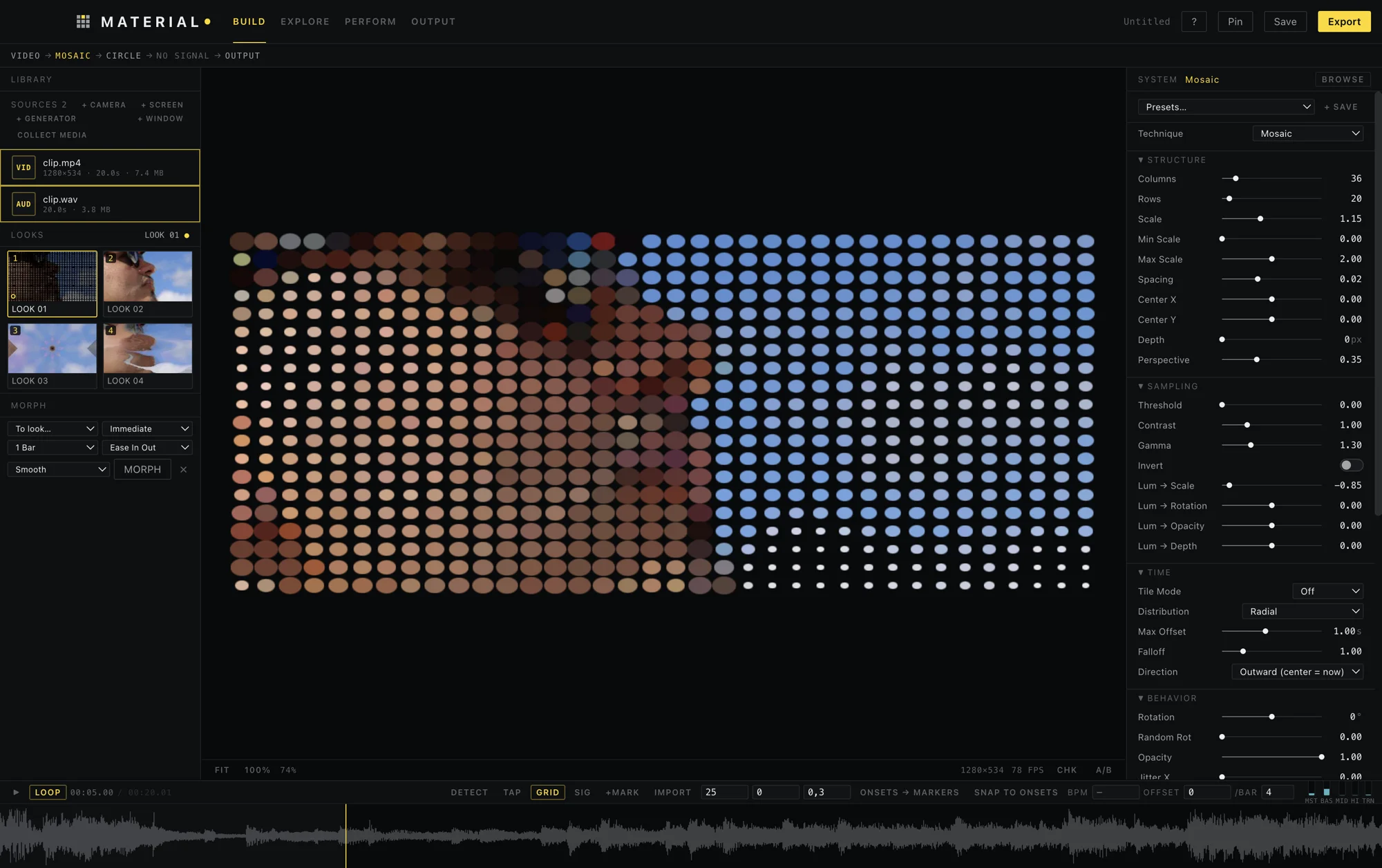
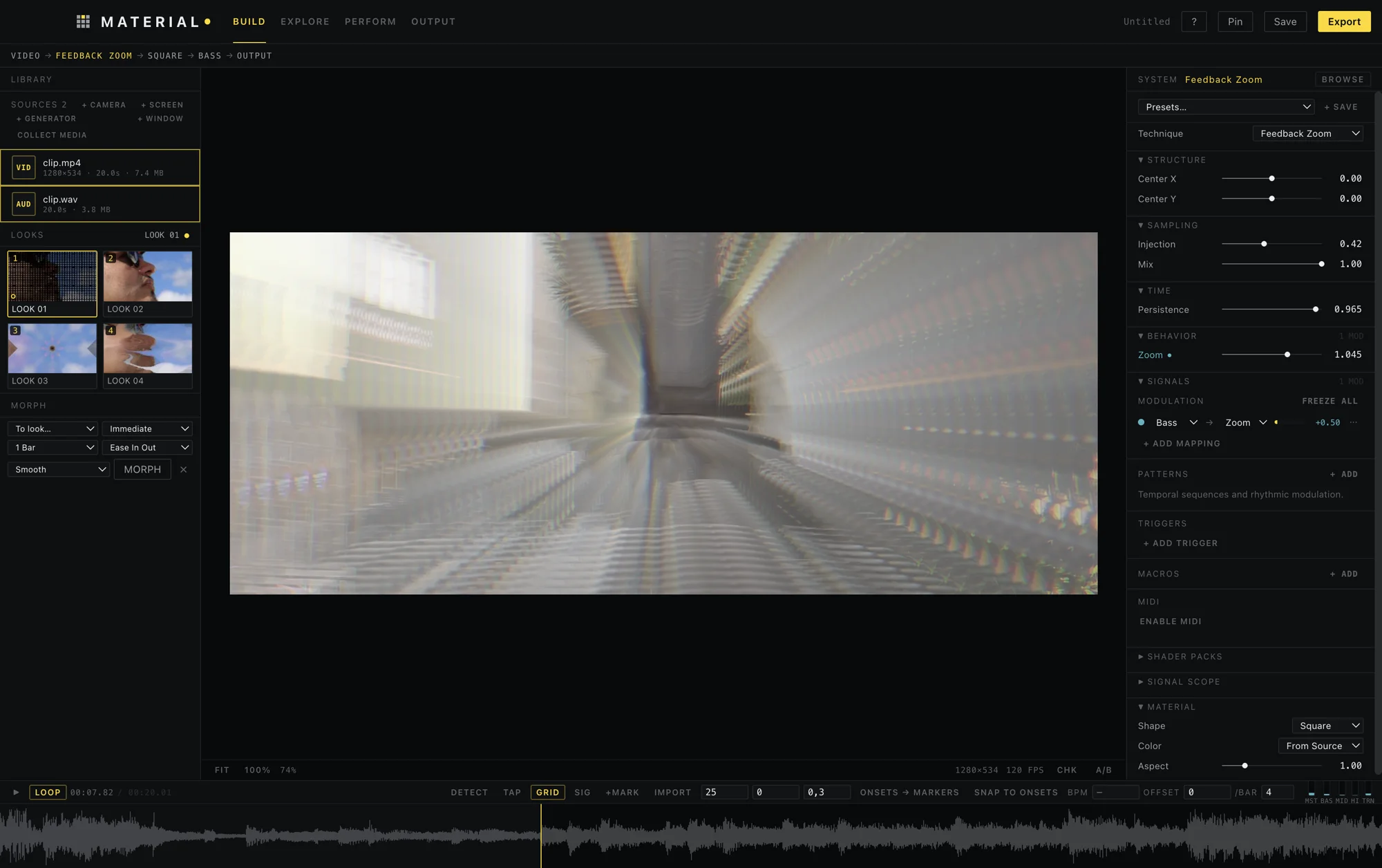
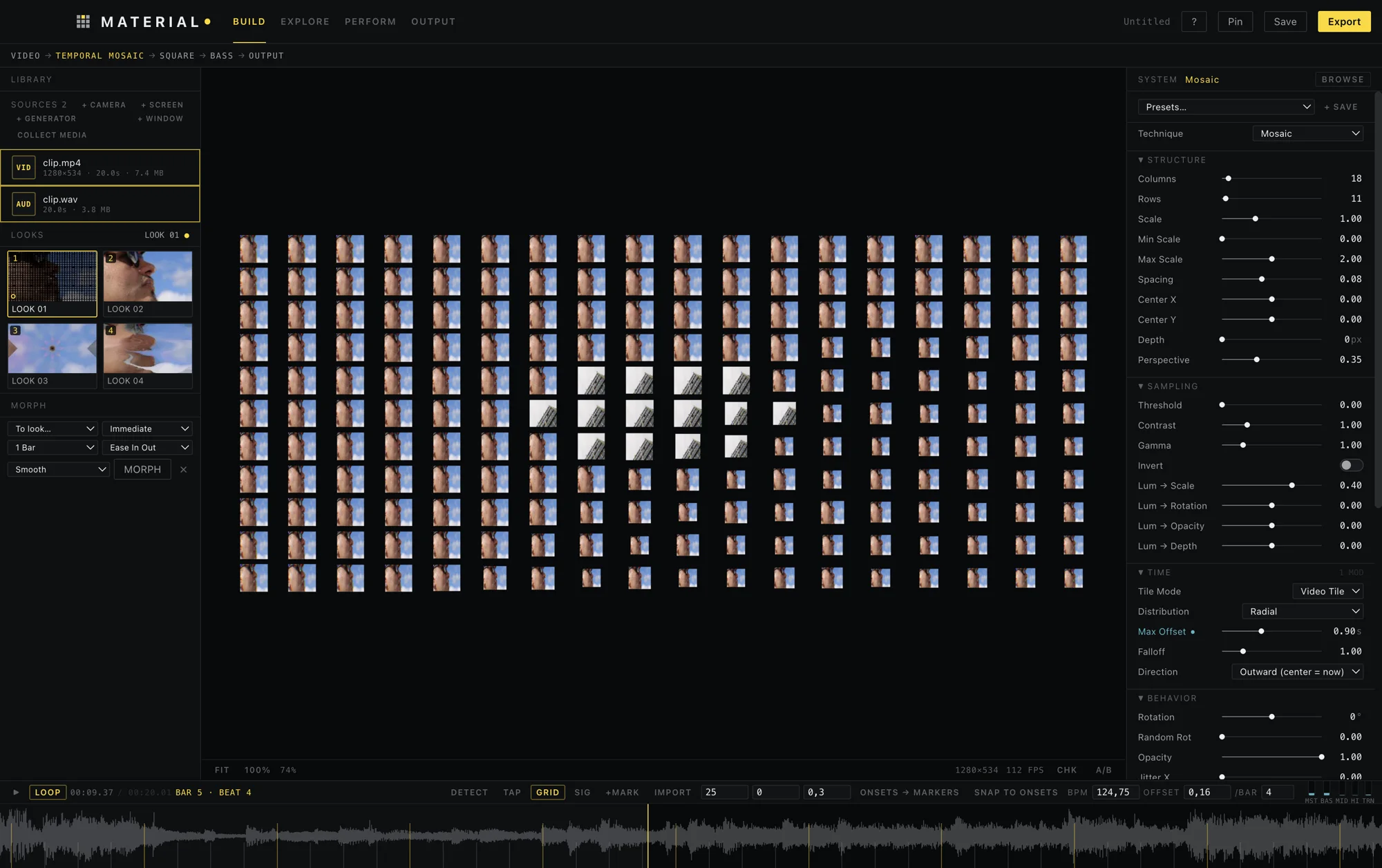
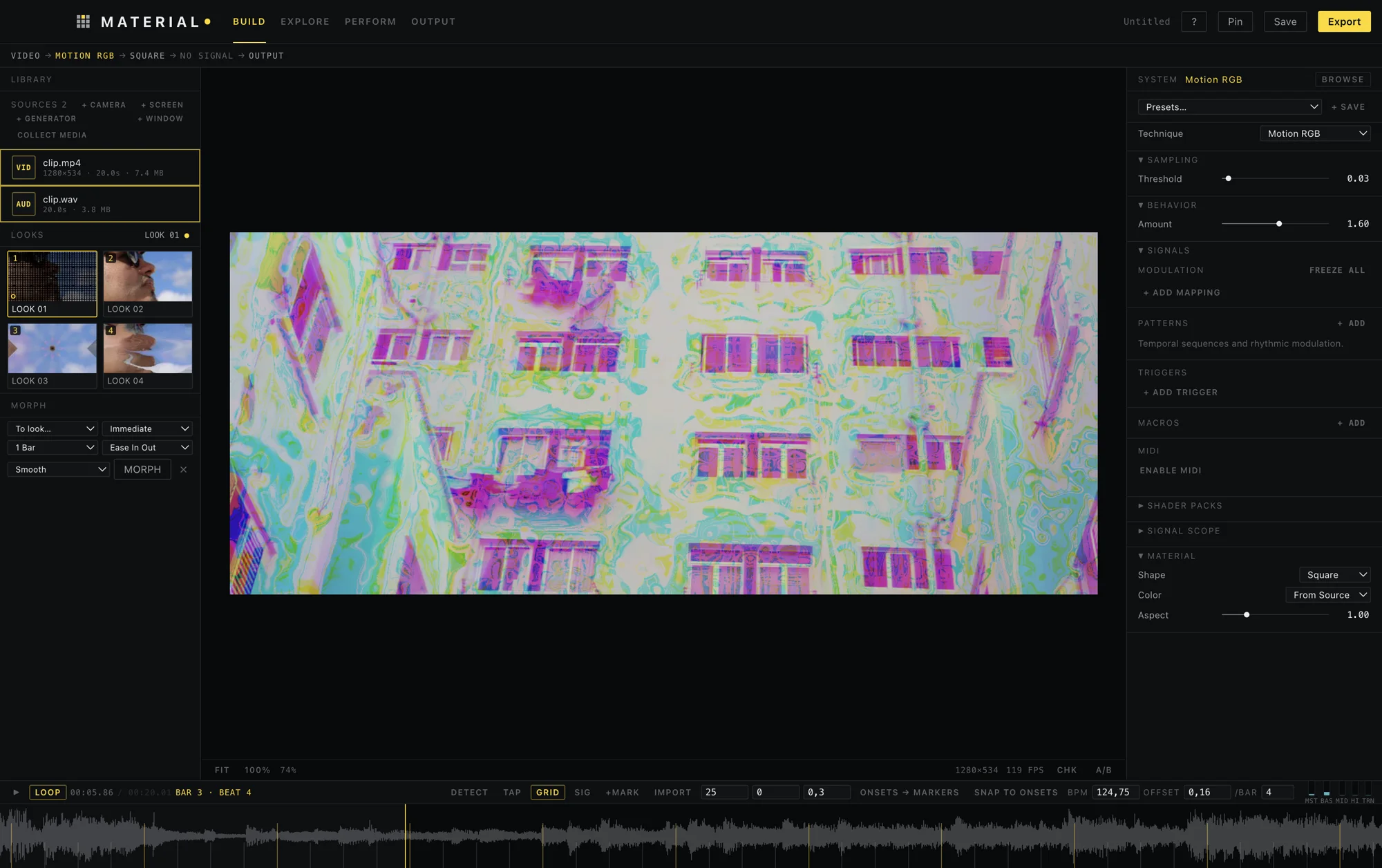
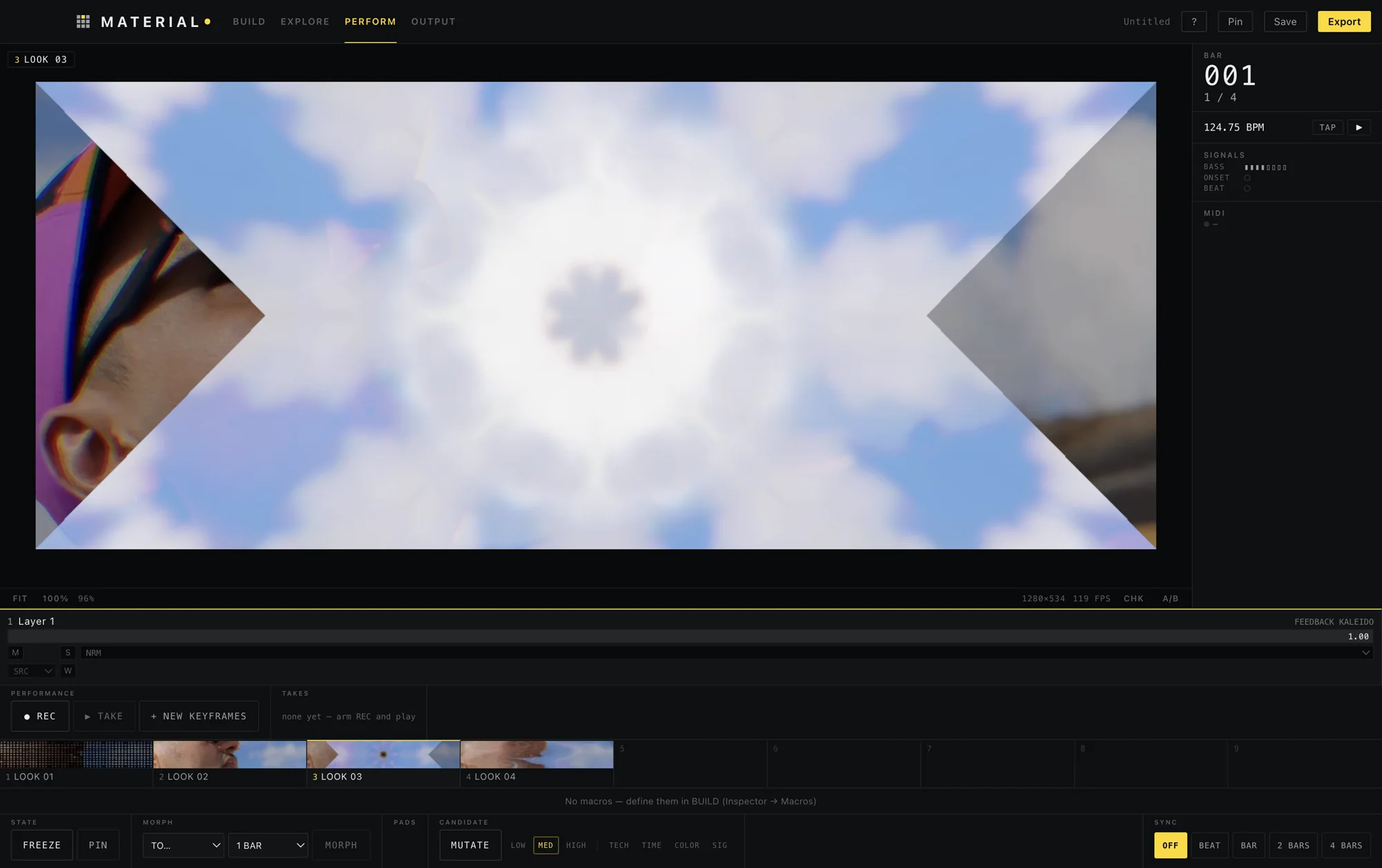
This is what you play.
01 / The chain
Five things, always in this order.
- 01
Source
Video, image, SVG, camera, screen or a window. Or nothing at all: a Noise Field or a Grid is enough to start.
- 02
Technique
Mosaic, Echo, Step Print, Slit Scan, Feedback, Motion, Simulation. A rule about how the frame is rebuilt.
- 03
Material
The element that gets repeated: square, circle, line, dot, triangle, your own SVG or an image.
- 04
Modulation
Any signal drives any parameter: bass, onset, brightness, the centre of movement. Add or set, with curves and smoothing.
- 05
Output
PNG, PNG sequence with alpha, H.264 or ProRes. Or play it live, fullscreen, on another monitor.
02 / What it does
Made to be played, not configured.
- Listen
The music is a control surface.
Drop an audio file and MATERIAL analyses it offline: bass, mids, highs, onsets, tempo and a beat grid. Wire
Bass → Scaleand the image breathes with the low end. - Play
Looks, morphs and a stage mode.
Pin nine Looks and recall them from the keyboard or a MIDI controller. Morph between them over seconds, beats or bars. Record what you play as a Take, then edit it.
- Extend
Your own shaders, as plain files.
Shader packs are data plus GLSL, with no plugin code. Their parameters become real controls, and a single-pass subset of ISF shaders works too.
- Keep
Your work stays on your machine.
No account, no cloud, no telemetry, no upload. The only request it makes is a once-a-day check for a new version, which you can turn off. Projects are plain
.materialfiles, with autosave and crash recovery.
03 / Install
Four steps. One of them is a macOS quirk.
macOS
Download and unzip
Get MATERIAL-0.8.6-arm64.zip and drag MATERIAL.app to Applications.
Open it the first time
The app is not signed with an Apple Developer ID, so macOS says it cannot open it. Right-click it, choose Open, then Open again. Or run this once:
xattr -dr com.apple.quarantine /Applications/MATERIAL.appInstall FFmpeg
MATERIAL uses it to read and export video. With Homebrew:
brew install ffmpegDrop something in
A video and an audio file, or add a Noise Field and start from nothing. Press Space.
On macOS, after that, MATERIAL updates itself. It tells you when there is a new version, checks it, and installs it with one click.
On Windows
Download
Get MATERIAL-0.8.6-win-x64-setup.exe (installer) or the portable .zip.
Let SmartScreen through
The app is not code-signed, so Windows says "Windows protected your PC". Click More info, then Run anyway.
Install FFmpeg
MATERIAL uses it to read and export video. With winget:
winget install Gyan.FFmpeg
On Windows the app tells you when a new version exists and opens its page; it does not install it by itself.
04 / Honest limits
What it is not, yet.
- macOS on Apple Silicon and Windows 64-bit. No Intel Macs. The Windows build is new: tested in CI, little by hand.
- One global BPM per project: music that drifts will drift off the grid.
- Colour is sRGB throughout. No HDR or linear pipeline yet.
- MIDI was validated with a virtual device, not with physical hardware.
- Shader packs are not sandboxed: install packs from people you trust.
Play with the rules.
macOS 131 MB · Windows 114 MB · free · open source (MIT)